Optionals
Events can include many triggers, conditions, and actions. To help reduce the complexity of an event, Power Manager makes extensive use of optional fields and defaults.
Power Manager events can become surprisingly sophisticated.
Within the event editor, you will frequently see Show More and Show Less buttons. These buttons are used to control the options visible.
The sleep action will put your Mac to sleep until it is woken up. By default Power Manager will show a warning to any active users before going to sleep; this is mentioned in the action’s highlights below the summary text.
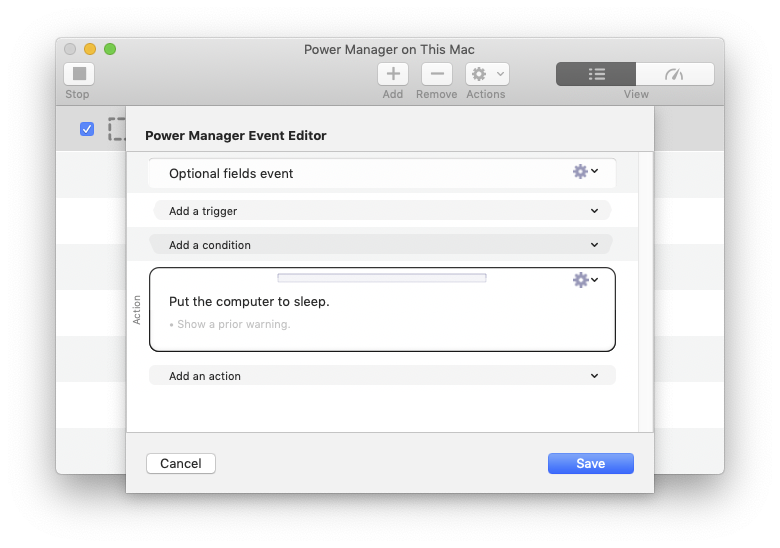
Event editor showing the default sleep action
The default sleep action has no required fields. This means there is nothing to change. By default your Mac will go to sleep. However, the sleep action can do more; it can put your Mac to sleep for a predetermined duration.
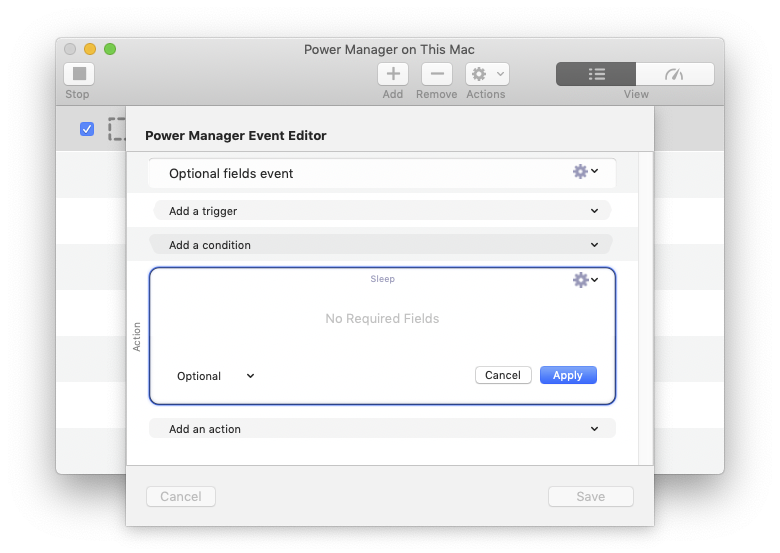
Editor showing in Power Manager
After selecting Show More next to the sleep action, a new field appears. This is the Duration field and it changes the way the sleep action behaves.
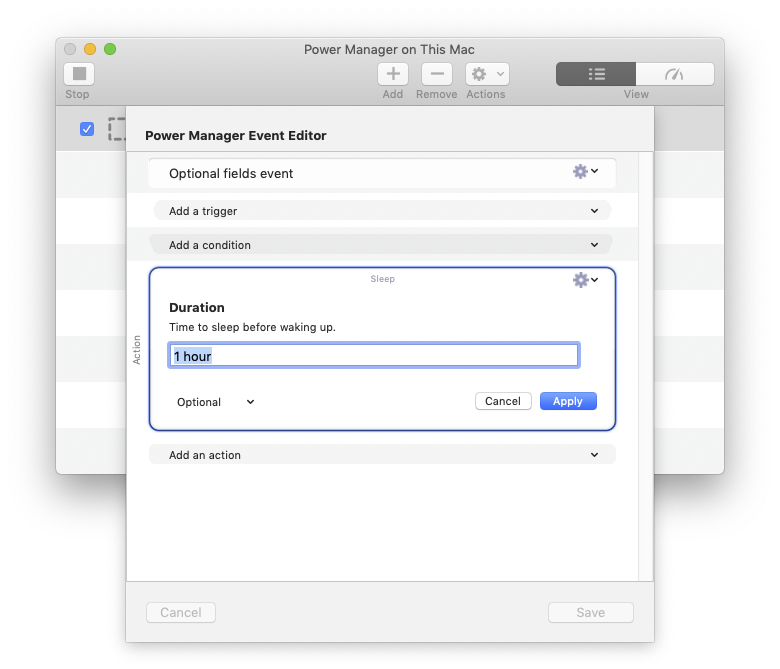
Editor editing a block in Power Manager
With a Duration supplied and applied, your Mac will now be scheduled to wake itself up after an hour.
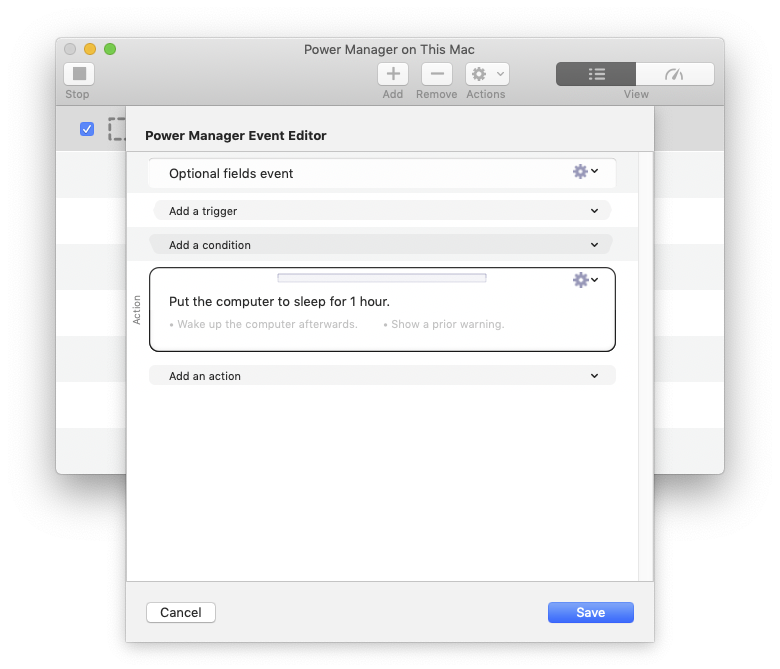
Editor showing the modified block in Power Manager
As you can see from the above transformation, optionals help reduce the initial complexity of building an event. When more control is needed, optionals can be enabled and the event’s sophistication increases.